Knowledge Graph: a 3D, self-growing map of what I've studied
A 3D, explorable map of what I've studied: hundreds of concept bubbles from my own Coursera transcripts, wired by typed links and grown by a local LLM whose every edit I can preview and undo. It grows most days, and I use it daily.
Course notes rot in a folder
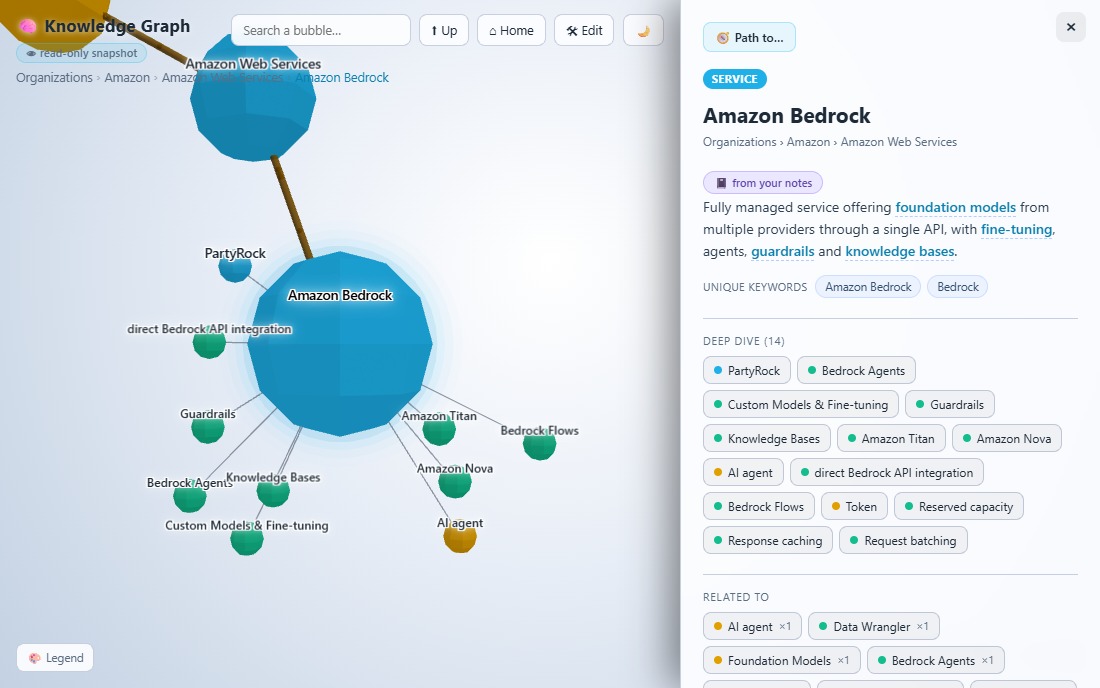
Course notes rot in a folder. I take a lot of them, on AWS, AI/ML, Snowflake, and they pile up as markdown files I never open again. There’s a second problem underneath that one: a course platform is never neutral. An Amazon course pushes AWS, an Azure course pushes Azure, and the thing I care about gets buried in whichever ecosystem is doing the teaching. What I wanted was a map of my own, one that shows how ideas connect, keeps its own counsel about vendors, and never loses a note as the pile grows past 800 nodes.
Two things a plain notes folder can’t do, and this had to. The first is treating “Amazon Bedrock” as one bubble whether it turned up in an AWS course or an AI-fundamentals one, not two disconnected mentions. The second is staying readable at scale: a force-directed graph with 800-plus nodes on screen is a hairball, so this one only ever draws the focused neighbourhood, the path up to the root, what’s nested inside the current bubble, and its strongest lateral links, while the side panel still lists every connection in full. Nothing is ever lost, because every bubble has a parent and you can always drill or search your way back to it.
It was a couple of days of work to the first version I could use, then about two weeks of evenings to reach where it is now. It holds 844 bubbles and 1,636 links today, distilled from 173 Coursera transcripts, and the count climbs most days I study.
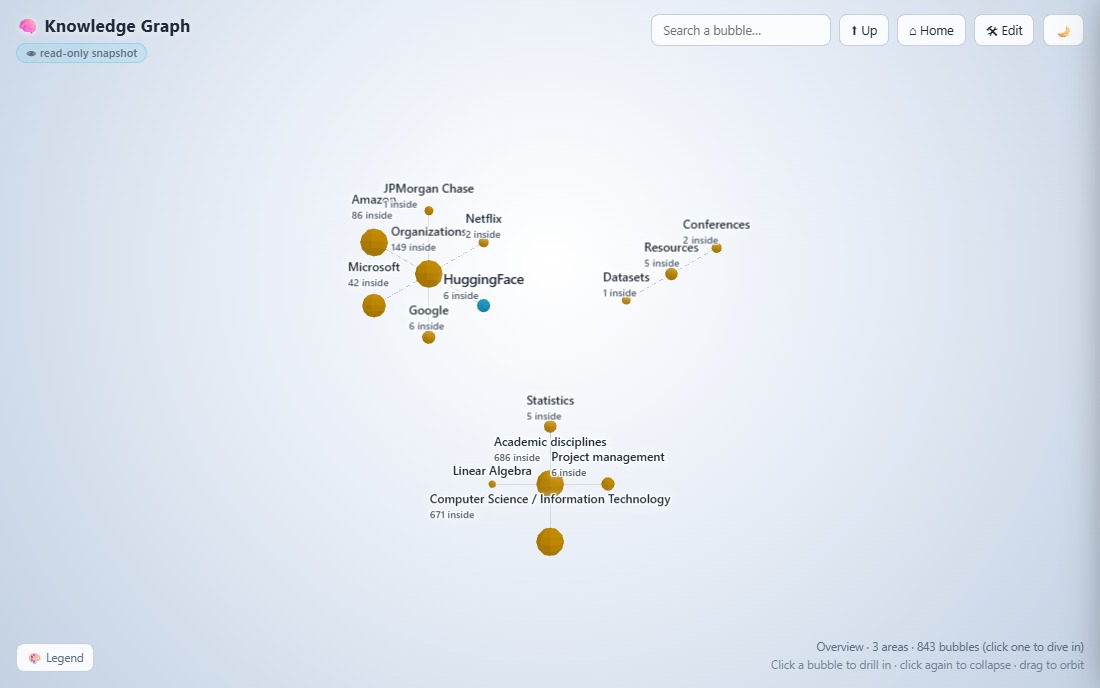 The overview: click a bubble to drill in, again to collapse, drag to orbit.
How it’s built
A Chrome extension I wrote grabs each Coursera transcript as I watch and drops it into extracted/ as plain text. It started life as a companion “knowledge extractor”, and it’s the piece that turned the whole thing from a chore into something I use. The flow used to be four decoupled steps: grab the content, ask a chatbot to summarise it, send the summary to the graph, let an LLM populate it. Now it’s one click from lecture to graph.
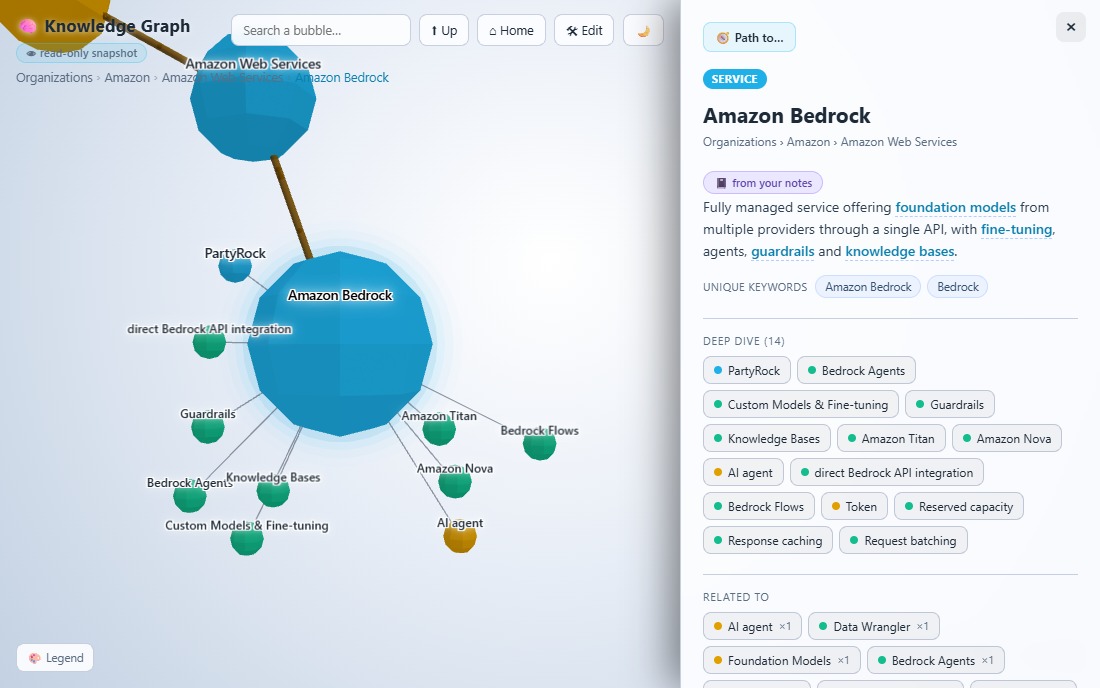
A processor (build-graph.mjs) merges two structures: a hand-curated topic taxonomy (the provider → service → feature spine) and the document structure of the notes themselves (course → lecture → section). It scans every note for concept mentions to generate weighted explains and related_to edges. Bubble colour encodes type (provider, domain, service, feature, concept, course); link colour encodes the relationship: part of, explains, related to, used for, prerequisite of, alternative to.
Growth, with a trust boundary
A curated taxonomy only knows what I hand-listed, so a brand-new course on an unfamiliar topic would add lecture bubbles with nothing to anchor them. An optional pass sends new notes to a local, free, offline LLM (Ollama) that proposes new concepts and links.
The model never writes the graph directly. It emits proposals to a cache, and a merge step enforces the rules: curated nodes stay immutable, cycles are impossible, invented types or predicates are rejected. Early on, the model’s weak spot was orphans, new nodes it couldn’t attach to anything. The guardrail for that is recursive: if a proposed node has no parent, build a parent for it, and a parent for that, until the chain connects to the existing structure. Out-of-place nodes are rare now. That boundary is what lets a model I don’t fully trust expand a structure I do, with no way to corrupt it.
Editing is propose, preview, apply, and always undoable
Every bubble carries a set of LLM operations: add missing detail, grow sub-concepts, rename, merge, audit, or a free-text instruction. Nothing lands until I’ve read a diff-style preview and clicked Apply, and one-click Undo reverts the last change even across a merge.
Getting the LLM to help drive my own learning was the hardest part. The balance came from giving it many precise operations to work with, each wired to its own command, so it knew exactly what I meant. A concrete example: a node called “lambda” got filed under “AWS” when it meant Azure Lambda Functions, which also blocked any future “Lambda” node from sitting cleanly in the tree. Fixing that took three additions: a “rename node” operation, a “compute how generic a name is” check, and an “audit node” function the LLM could run to catch the collision in the first place.
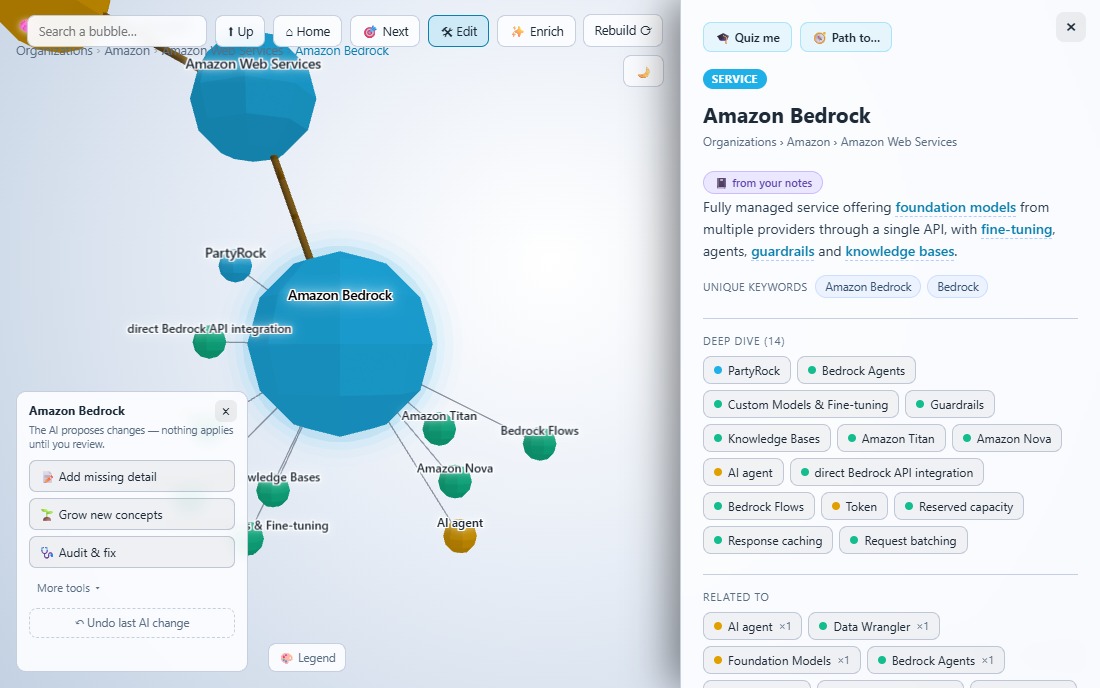
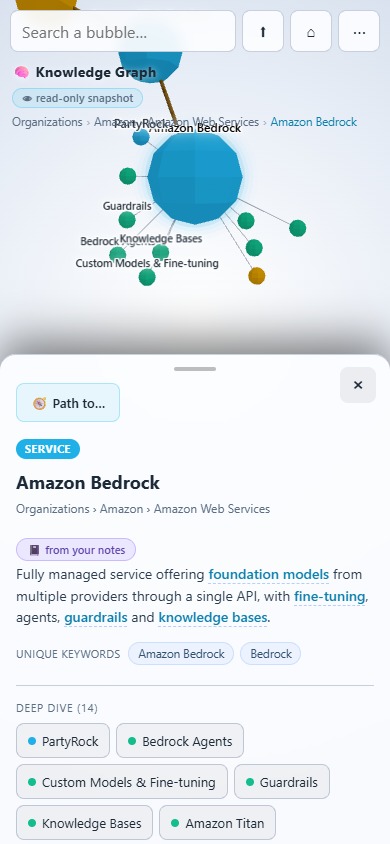
It’s responsive down to phone width: the panels become exclusive bottom sheets, so only one is open at a time.
Two builds from one codebase
The tool ships in two shapes from the same front-end. The full app, for me, has navigation, search, path-finding and the LLM editing panel, backed by a Node server and local Ollama. The public snapshot, for anyone, is the same front-end over a frozen copy of the graph as plain static files. The editing panel is still there, so a visitor can see how I grow the graph, but it ships read-only: with no Node server or Ollama behind it, every control is inert and nothing a visitor does can touch the snapshot. One self-contained folder that runs on any static host, reachable from anywhere.
The live link above opens that snapshot.
Stack
Zero-dependency Node.js server and build pipeline; 3d-force-graph (three.js) for the WebGL rendering, vendored so it works fully offline; a local Ollama model for the optional enrichment pass; the Chrome extension for capture. No framework, no bundler.
Where it’s going
I use it every day. A couple of people who’ve seen it said “I would like to have something like this”; one said “You have too much free time.” The next thing I want is a way to quiz myself against it: turn any bubble’s subtree into questions drawn from my own notes and see what stuck. Graph databases may matter more as AI moves deeper into development, and this is a small, working example of why.