Rock, paper, scissors: the classroom is the dataset
Published at EAAI-18, this classroom activity turns a room into a live dataset: students photograph their own hands, an Android app and web service pipe the shots to a server, and a convnet learns them in front of everyone, overfitting and recovery and all. I built the app, the web service and the model-serving glue.
Problem
How do you explain supervised learning to people who have never written a line of code? IDSIA’s answer, published at EAAI-18, was to make the audience the pipeline: photograph your own hands playing rock–paper–scissors, train a convnet on the pile, and see what comes out.
The idea is lovely; the logistics are not. You have 10–20 people, maybe ten minutes, and you need 80–200 correctly-labeled photos per class moving from a room full of phones into three folders on a server, all without the session collapsing into tech support. That machinery was my job as research assistant.
What I built
An Android app built for one-handed speed: camera viewfinder, a label icon you tap to cycle ✊ ✋ ✌, one shutter tap to shoot and upload. Behind it, a Python web service that filed every photo by class and, in test mode, ran the Keras convnet and sent back three probabilities, which the app drew as bars over your photo.
In 2017, an Android app was how you got a camera and a network call into a student’s hand. Today I’d make it a mobile web app and skip the install entirely.
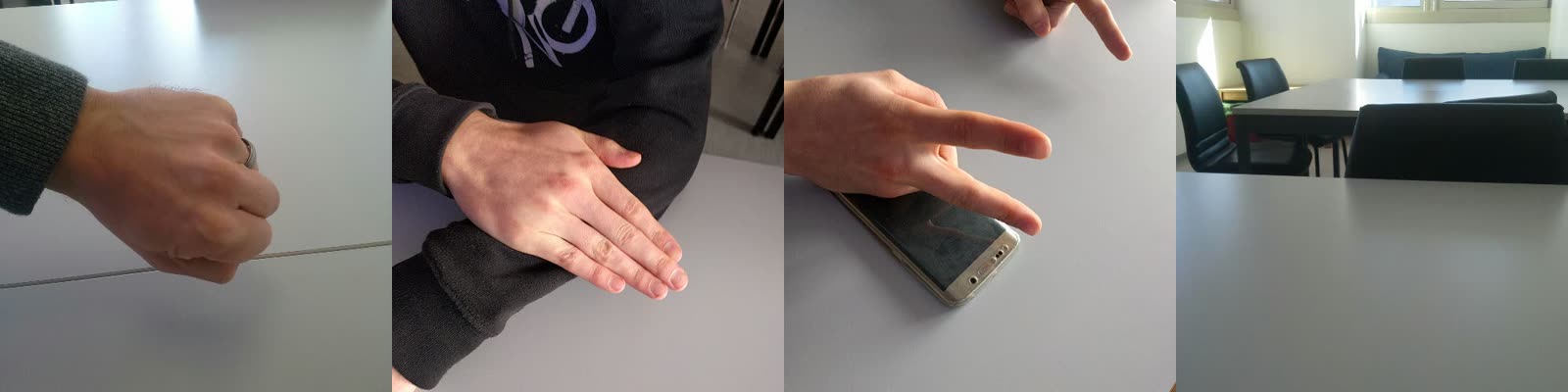 Real crowd photos from the server’s folders: ✊, ✋, ✌, and a “scissors” that’s just an empty classroom. Crowd data arrives messy; the system had to expect that.
Running a classroom turned out to be an ops problem, so the service grew the controls a teacher needs. New phones landed in a pending queue until approved, with a blacklist for the inevitable joker. A session code kept parallel classes separate. Testing stayed locked (HTTP 412, “it’s not time yet!”) until the teacher opened it. Students could delete their last shot; the teacher could prune anything.
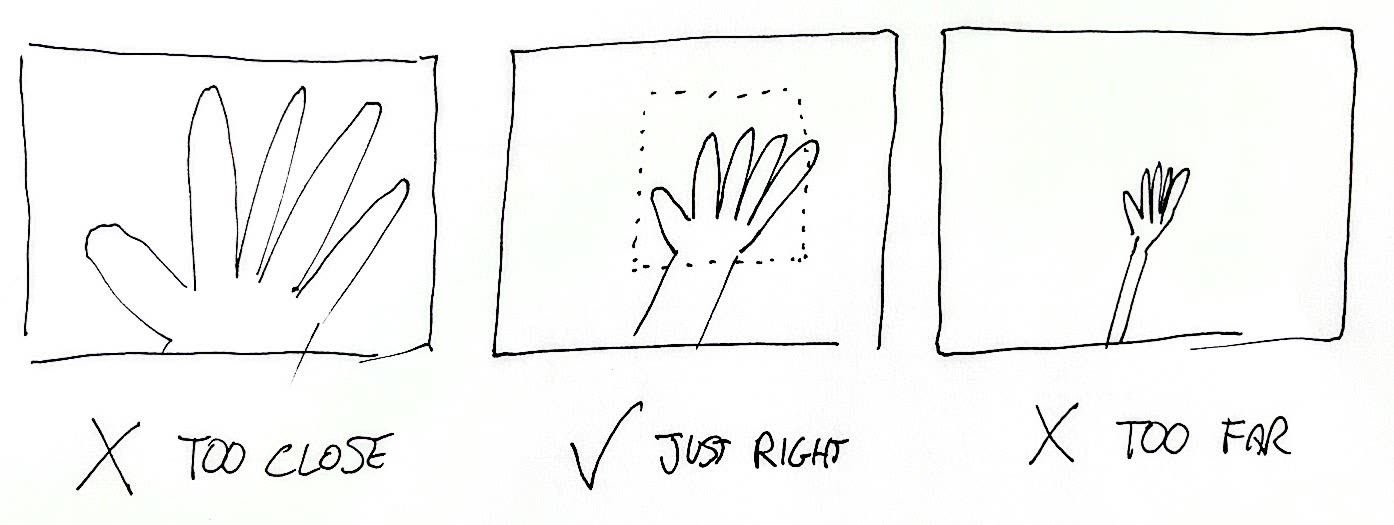 Data quality, explained without jargon: the activity’s actual hand-drawn framing guidelines.
The lesson the system made possible
The activity’s arc is the best overfitting lesson I know. Train on the room’s own photos and the training accuracy climbs toward 100%, to applause. Then run the network on 100 photos it has never seen, and fewer than half come back right. It memorized; it didn’t learn. The fix the activity teaches is data augmentation: rotate, flip, zoom and recolor the photos so the net never sees the same one twice, and evaluation recovers to around 75%. Those figures are the paper’s, not something I chased; the exact curves are in it.
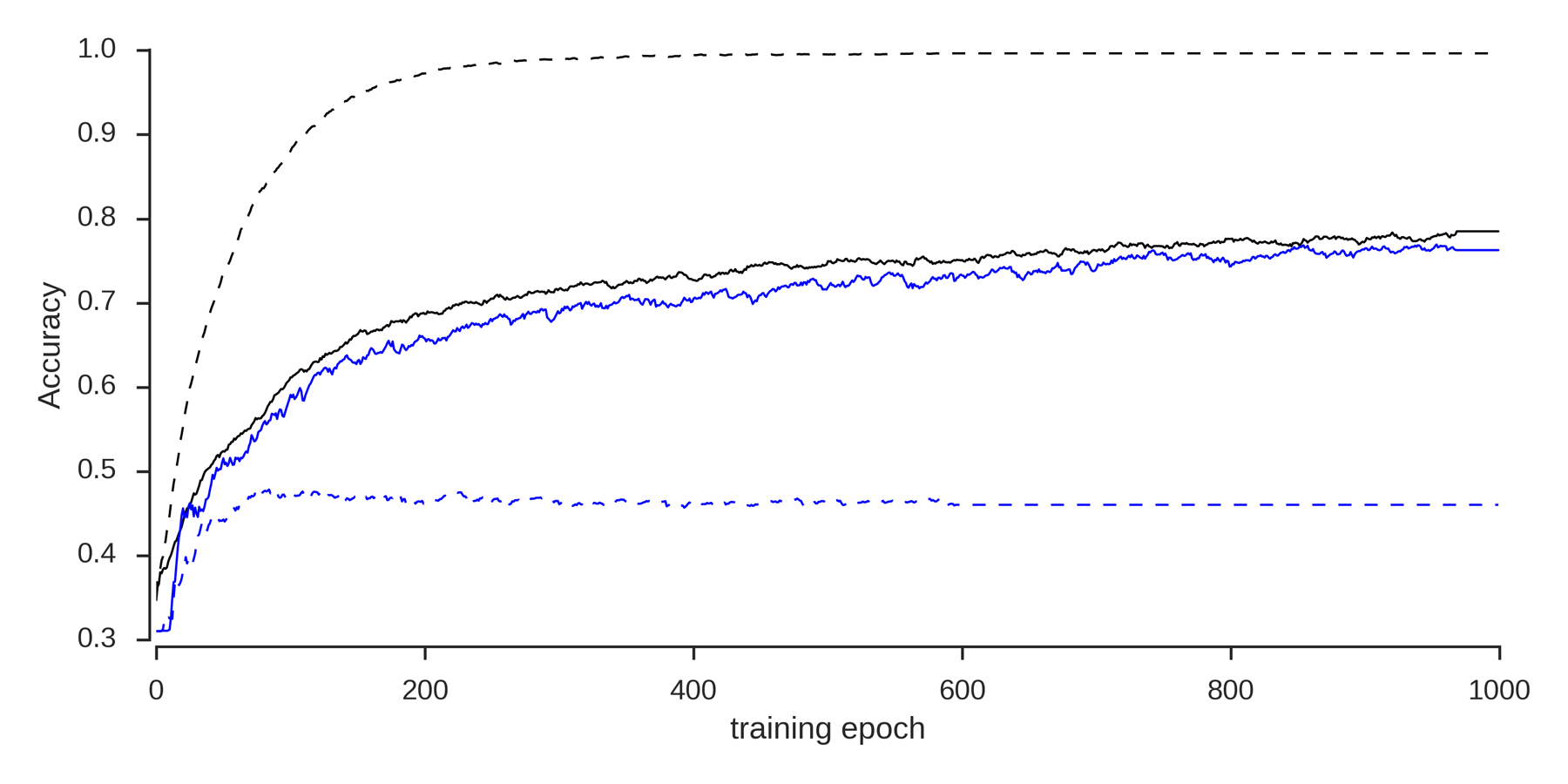 The real curves from the paper: training (black) vs. evaluation (blue) accuracy, without (dashed) and with (solid) augmentation. The dashed pair is overfitting in one picture.
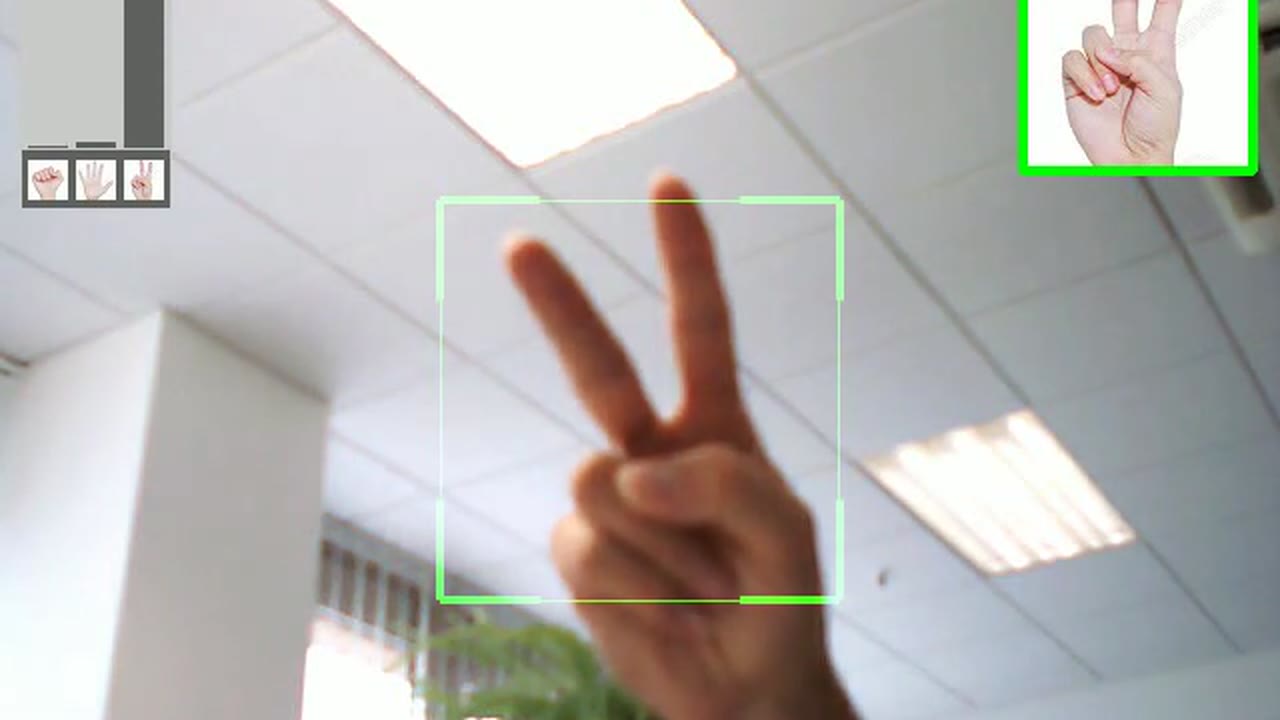
For the finale, the trained net ran live against a webcam while the room tried to fool it. Watching it get things wrong, then walking through why, was the whole teaching moment:
The real-time classifier from the activity: capture square, probability bars top-left, prediction top-right.
Try the whole loop
You can run the whole thing here. A simulated phone shoots synthetic hand photos, a small convolutional network written from scratch in the page’s JavaScript trains on them live, and the same overfit-then-augment arc plays out in learning curves you can watch.
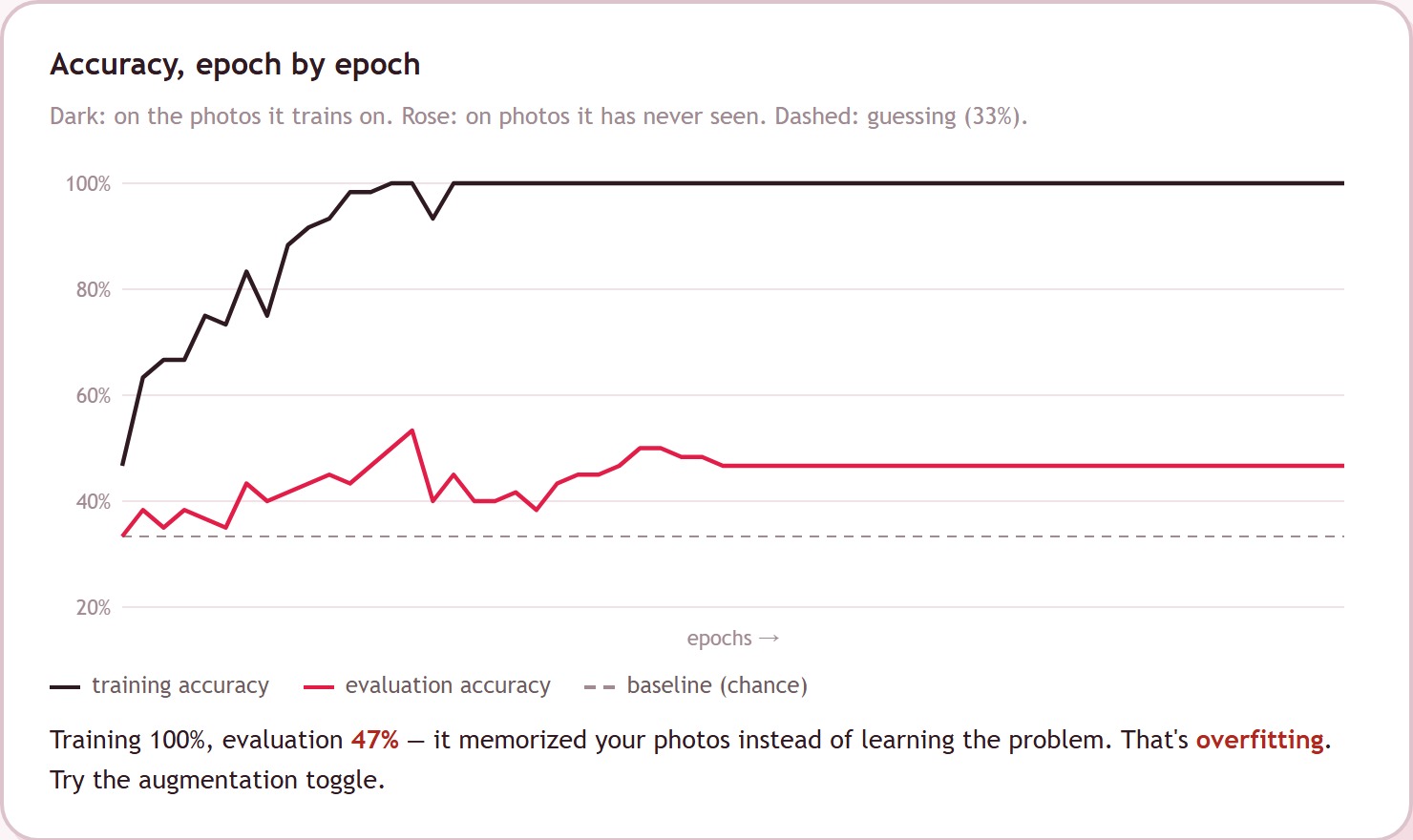 The demo mid-arc: a real network training in the browser, evaluation measured on 60 held-out photos.
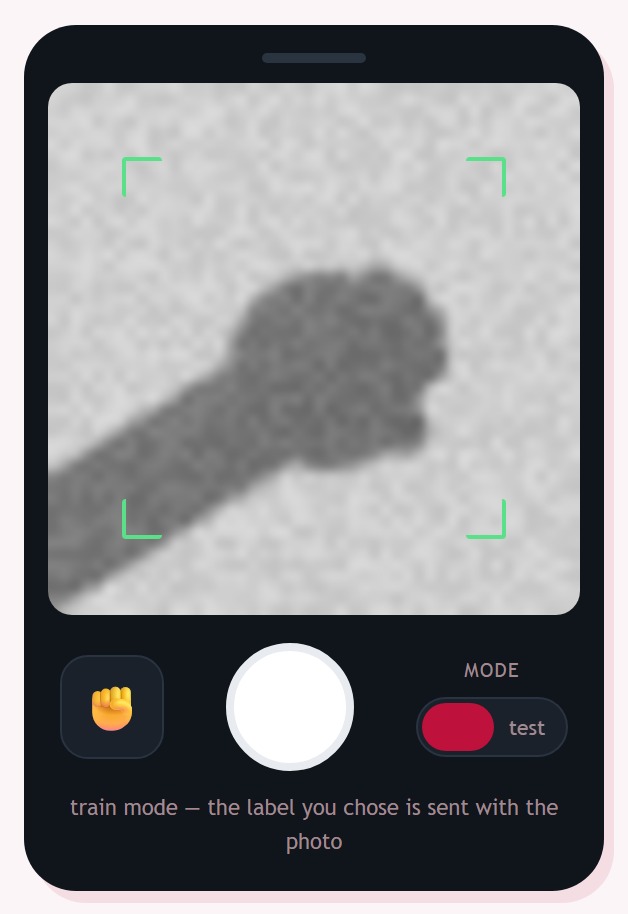
The app, rebuilt: label cycler, shutter, train/test switch, and the network's verdict drawn as bars over the photo, exactly like the original.
It opens already trained: a seeded pile of photos, one training run done, and the gap between the training and evaluation lines sitting right there. Flip the augmentation toggle to close it, add your own photos, or test the network from the phone. Everything runs in your browser.
Result
The system carried the activity end to end, crowd photos in and live predictions back, for groups of 10 to 20, from secondary-school students to adults, in sessions that ran anywhere from 30 minutes to two hours. As far as I know it’s still used in teaching. The activity and its paper are the work of my IDSIA colleagues (Giusti, Huber & Gambardella); the app, the web service and the model-serving glue were mine to build, and they’re what this page recreates.
Related
From the same period: the real-time drone trajectory tracker and my published optimisation research.